Sync your Google Calendar
Events become meetings on your day, attendees become people you know, and recurring series become the backbone of AI meeting prep.
Meetings are where work actually gets decided, and your calendar already knows all of them. Connect Google Calendar and events appear on the right journal day with their time, duration, and attendees — encrypted on arrival, like everything else. The connection is per-company, so the client calendar feeds the client workspace.
1. Connect your Google account
On the company’s integrations page, choose Connect Google account. The Google popup asks for read-only calendar access — the app never creates, edits, or deletes events — and nothing is stored server-side: tokens are issued straight to your browser and expire within the hour.
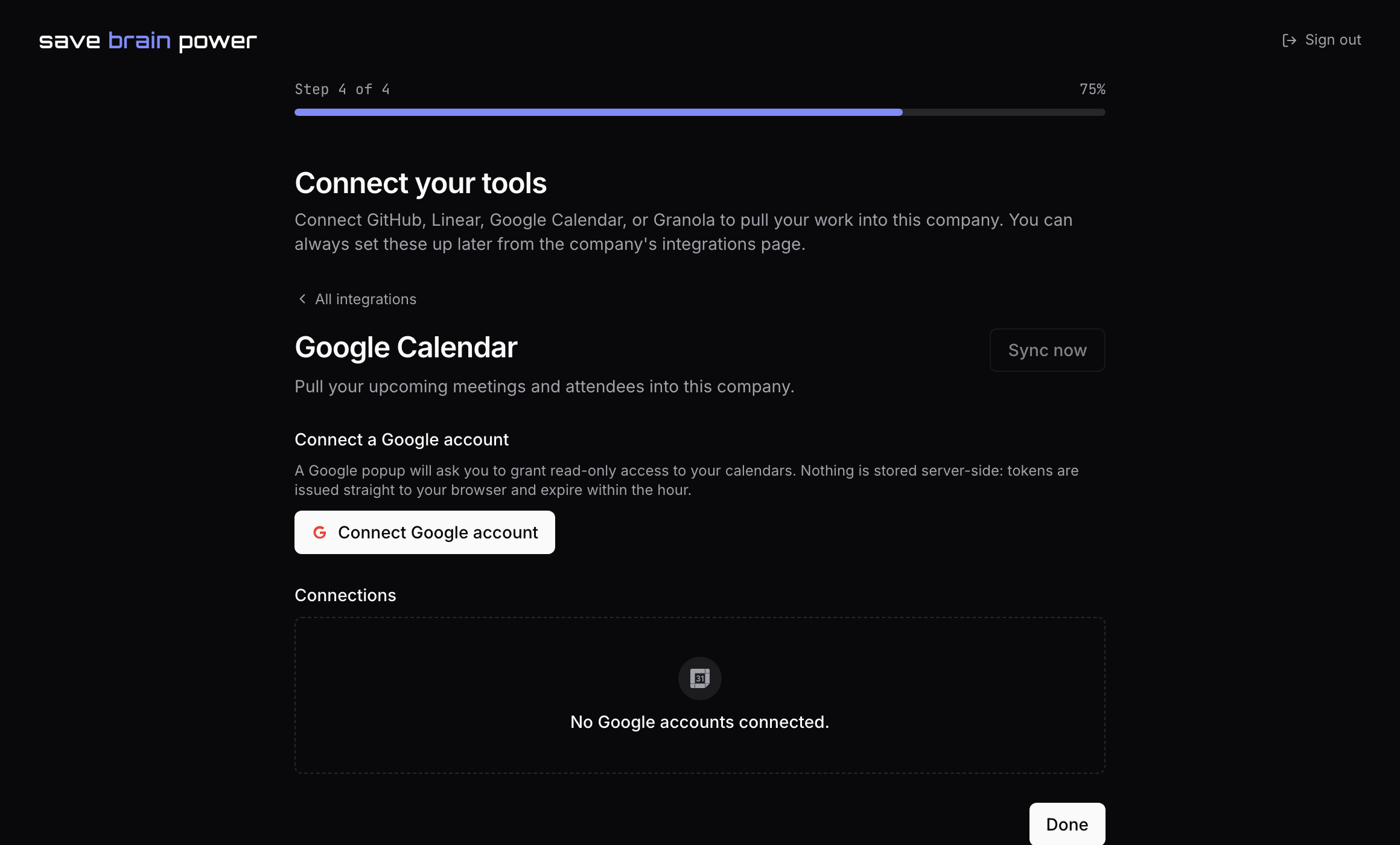
2. Choose which calendars sync
Not every calendar deserves a place in your work journal. Pick the ones that do — your primary, the team calendar — and leave the personal one out. You can change the set anytime.
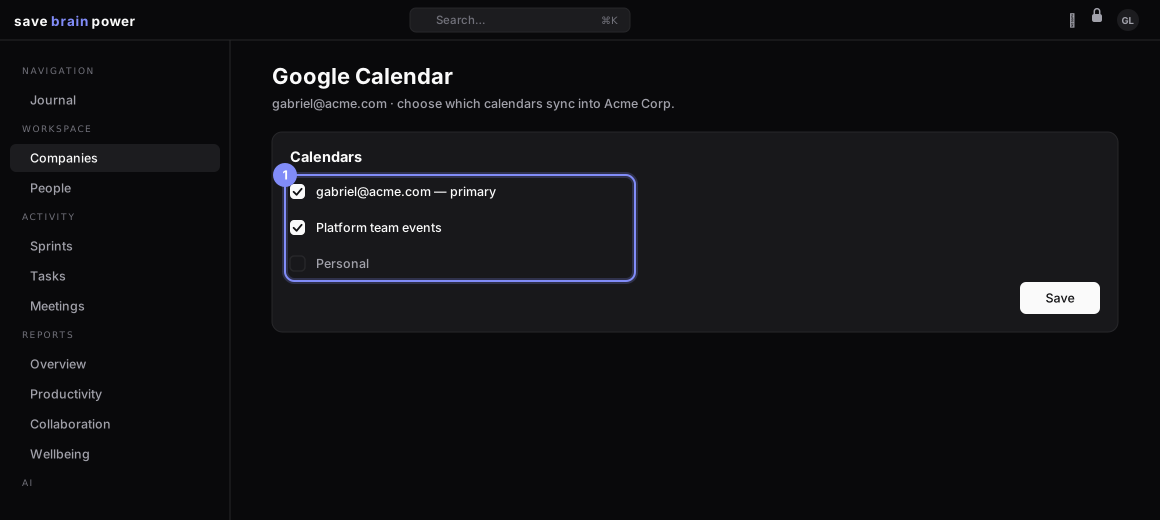
3. Meet your meetings on the journal
Synced events land on the day’s timeline. Attendees are matched to People by the company’s email domains — so a recurring 1-1 doesn’t just tell you when, it links to your running notes on who. Recurring events group into series, which is what makes AI meeting prep possible.
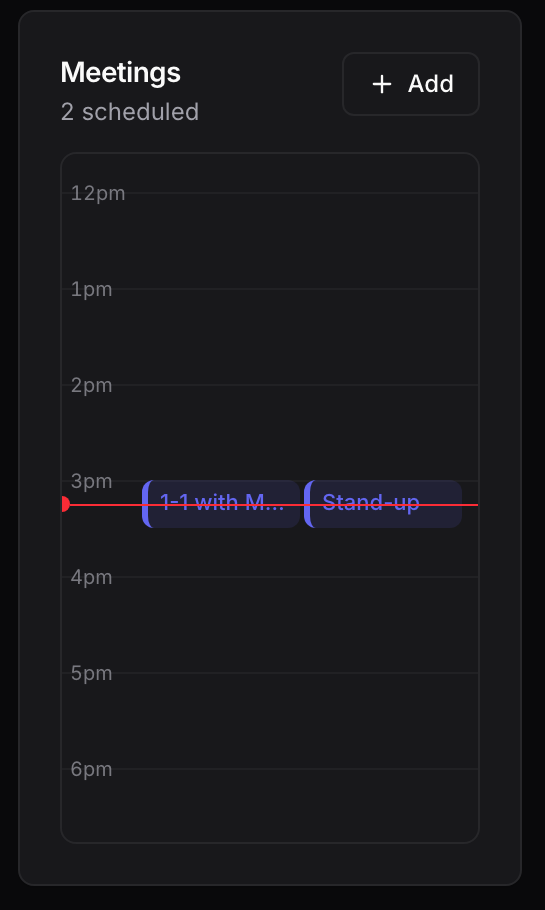
Using Granola? Connect it on the same integrations page with an API key and your AI meeting summaries attach themselves to the matching meeting — transcript-grade memory, zero copy-paste.
With series in place, one button preps you for every recurring meeting: AI meeting prep.