Remember every person you work with
Private notes on colleagues, managers, and clients — what you discussed, what they own, what you agreed — that follow you across jobs.
Colleagues change teams, managers change companies, and you change jobs — but the person stays the same person. That’s why people in save brain power belong to you, not to a company: a person holds roles at companies over time, and your notes about them accumulate across all of it.
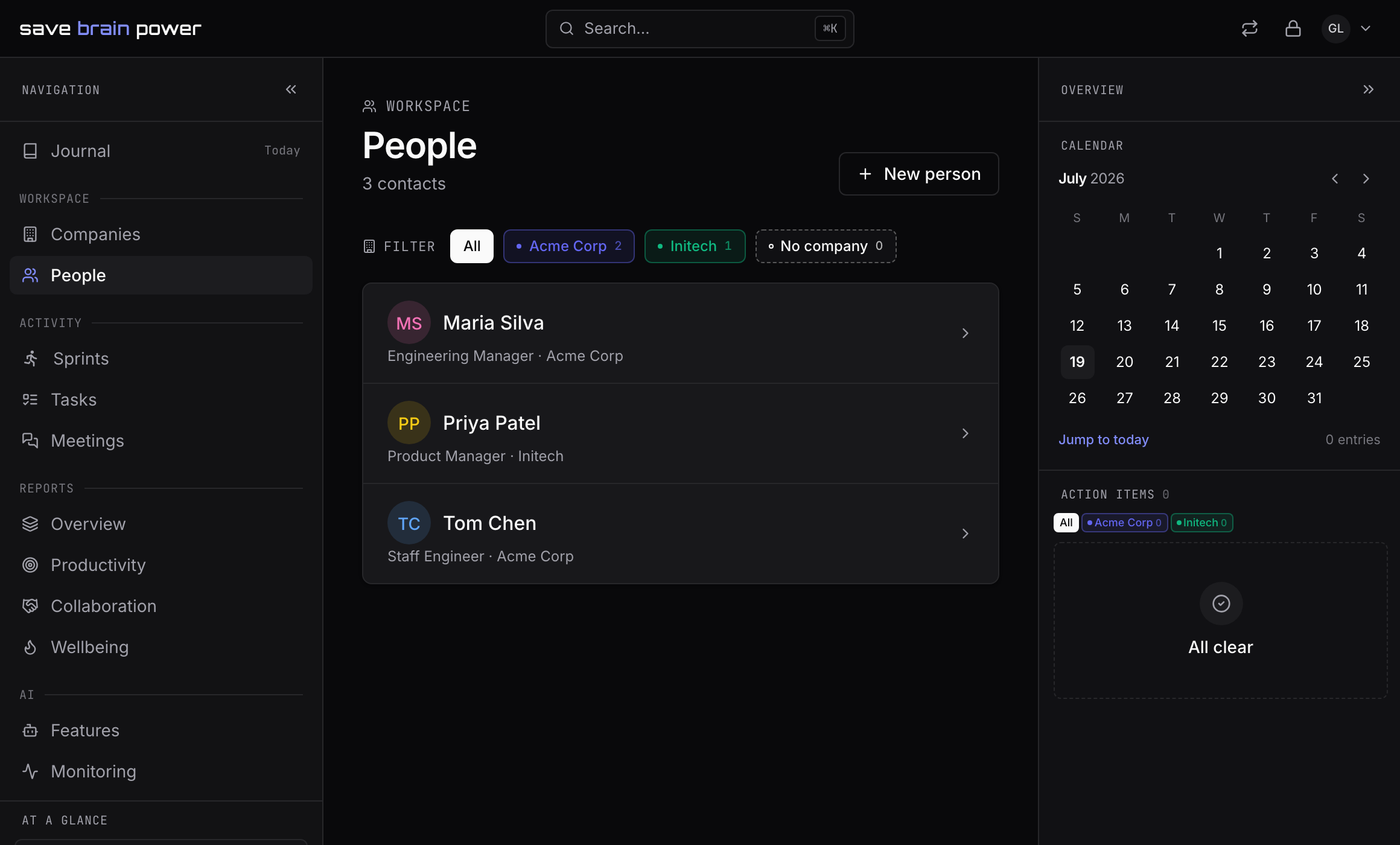
1. Build your roster on the People page
People in the sidebar lists everyone you’ve added — plus everyone your calendar sync has met on your behalf: synced meeting attendees are matched by email domain to the right company and appear here on their own. Add someone manually with New person when there’s no meeting to introduce you.
2. Keep private notes on a person
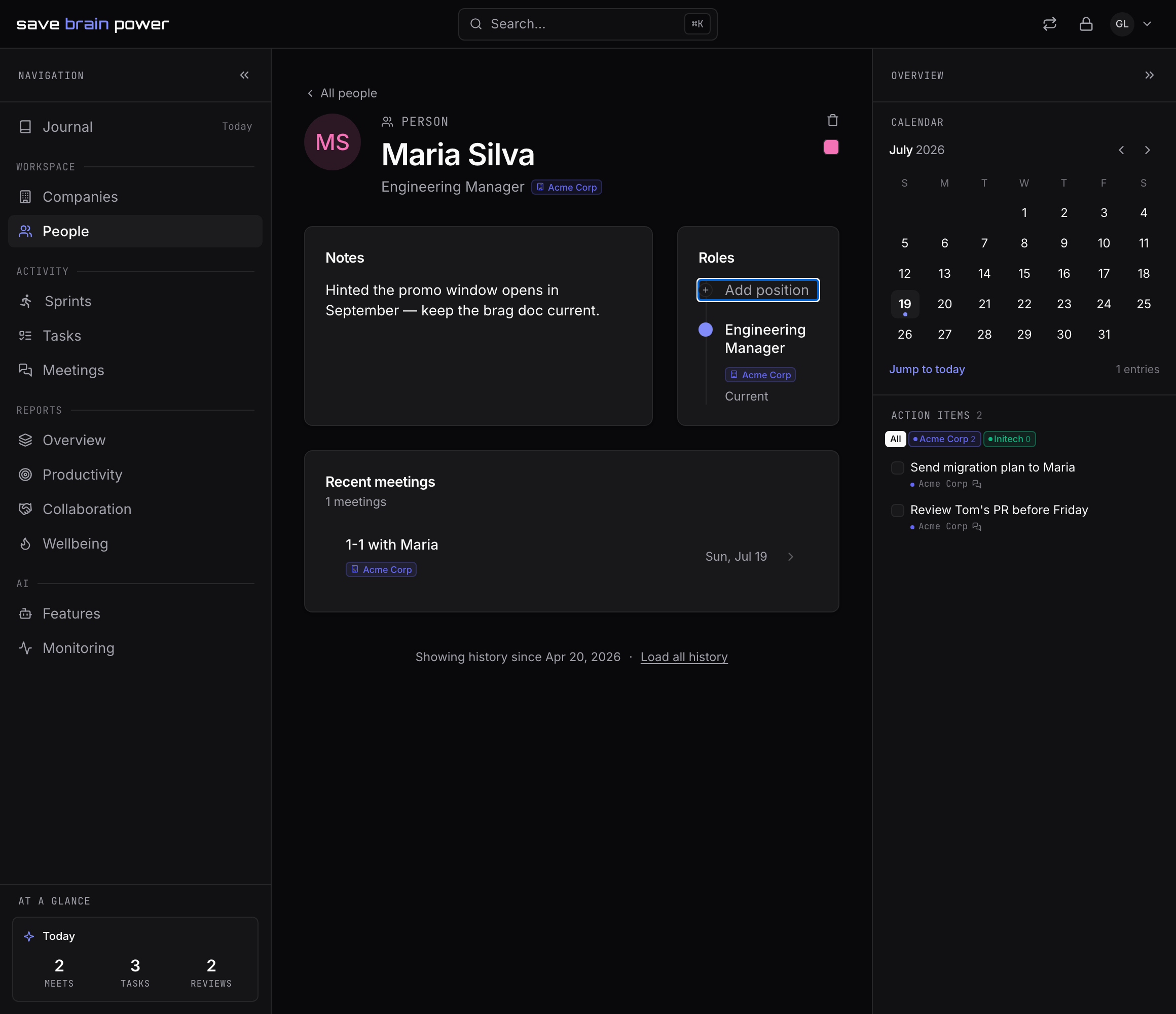
Open a person to see their page: current role, emails, your notes, and the meetings you share. The notes are the part that compounds — what they’re pushing for, what they own, what you agreed. Six months later, “hinted the promo window opens in September” is the sentence you’ll be glad you wrote down.
Nobody else can read these. Not the person, not your employer, not us — person notes are encrypted in your browser like everything else.
3. Mention people with @ — and get backlinks for free
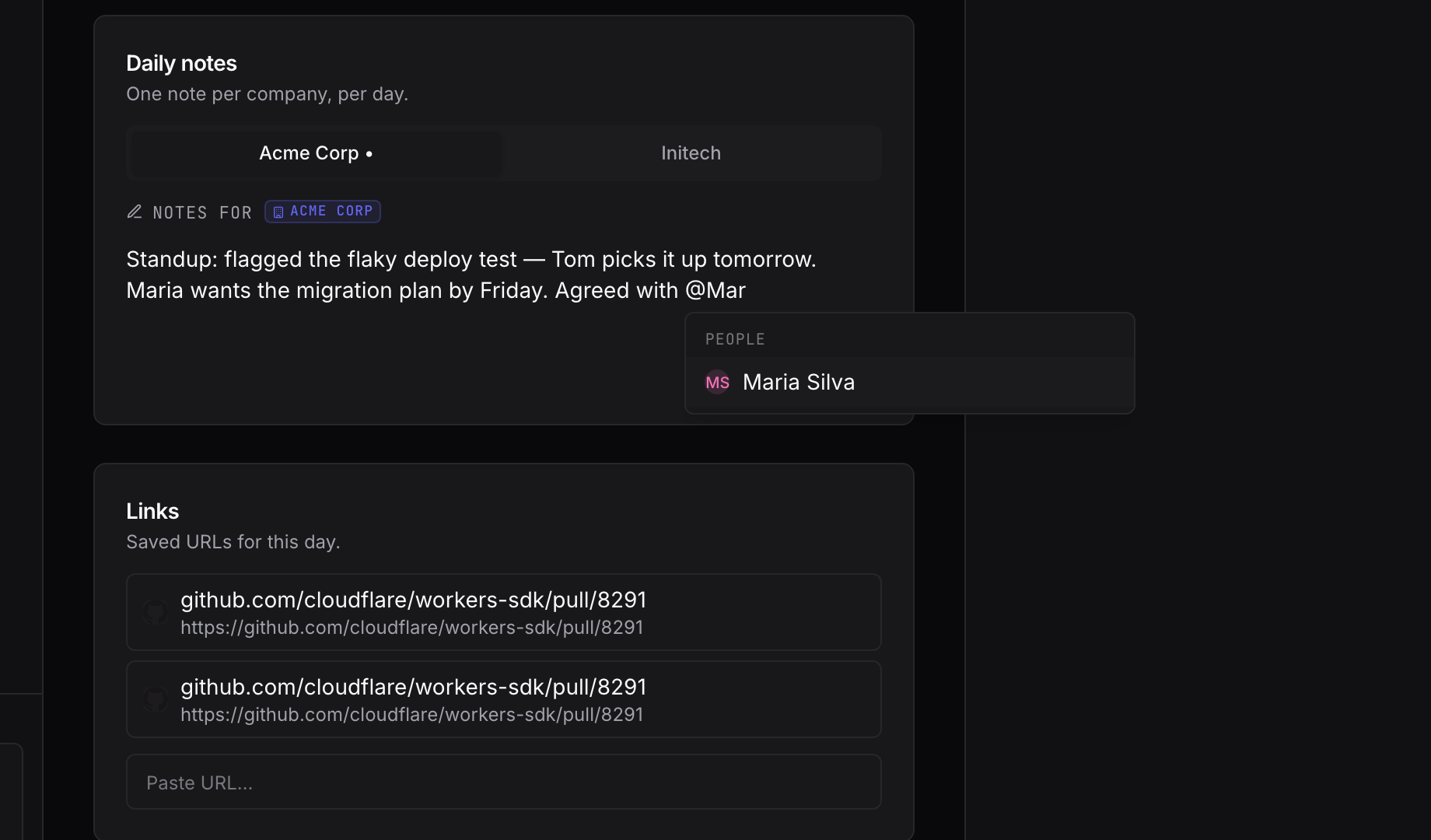
In any note, type @ and a name to mention someone. Mentions become backlinks: the person’s page collects every note that references them, across days, meetings, and tasks. Before your next 1-1, one glance answers “what’s happened with Maria since last time?”
Tip: mentions work for tasks too — reference a task from any note and the task’s page shows where it’s been discussed.
People notes get even better when meetings flow in automatically: sync your Google Calendar.